Do you need to know who’s winning the Buy Box right now?
We check the actual Buy Box shown to shoppers — not an API’s best guess — so you know the moment you lose it, and to whom.

Just $0.00449 per check — $0.1347 per ASIN/month
No setup required
Enter an ASIN and we’ll handle the rest. View your data in our dashboard, Google Sheets, or via API.
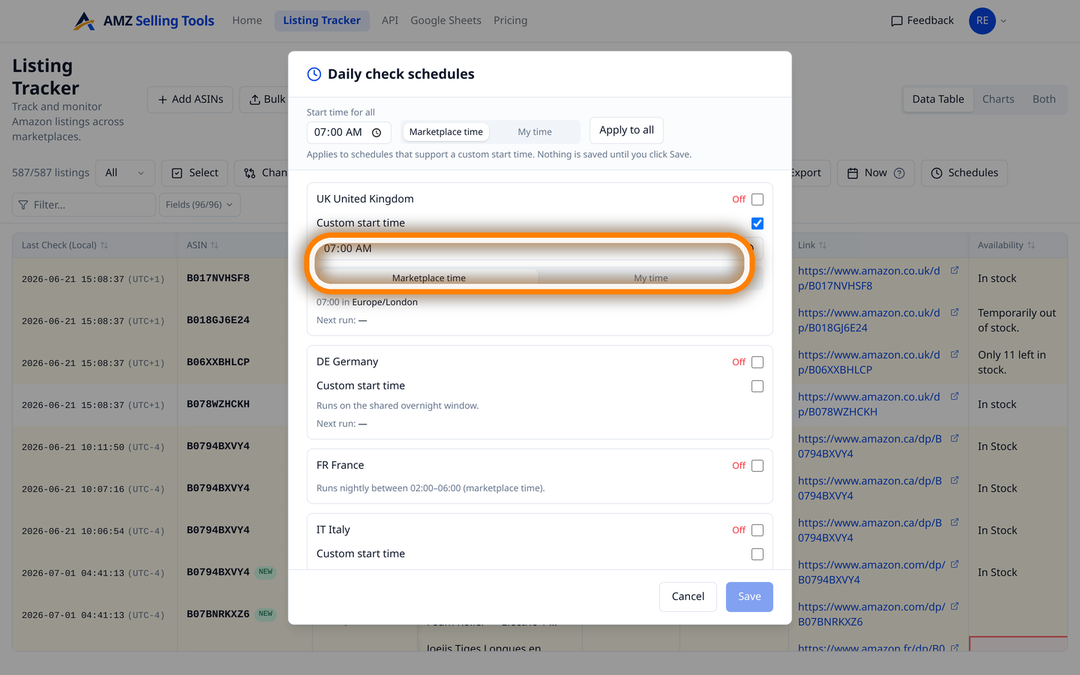
Schedule scrapes at exact time
Set your preferred time and we’ll take care of the rest.
Same-day support for Amazon changes
We quickly update our scraper whenever Amazon changes its frontend.
Location-specific scraping
Use ZIP code-level targeting to get accurate, local results.
Complete historical tracking
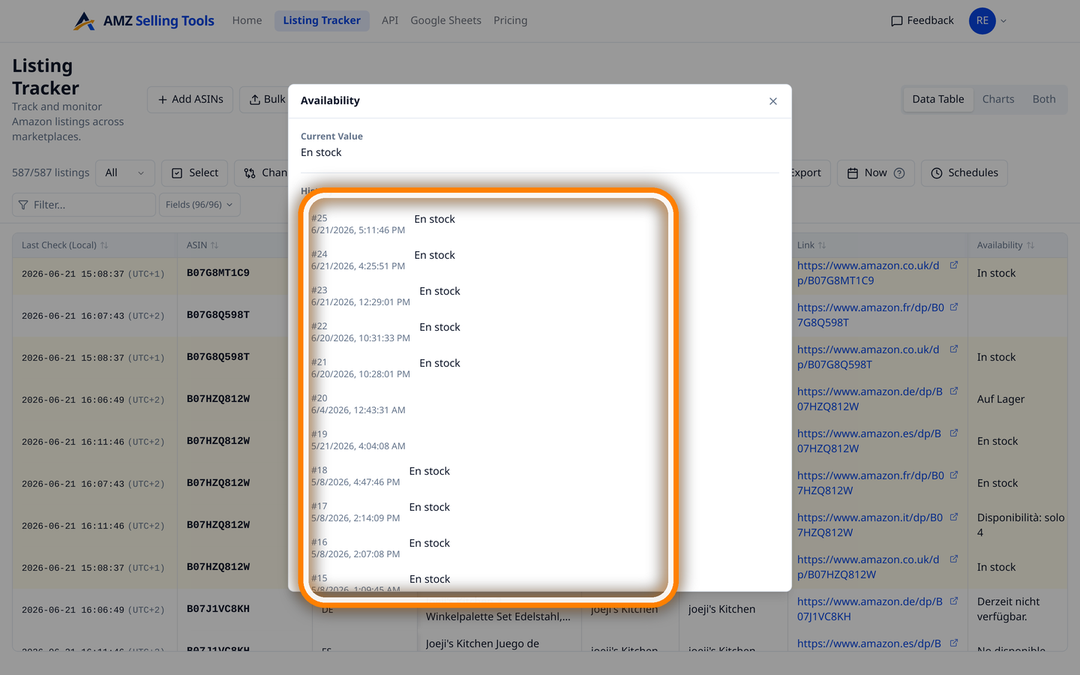
Every scrape is stored, with page-level change history over time.
Instant email alerts
Get notified immediately whenever any of the 80 tracked Amazon product page fields changes.
Add your ASINs, pick your marketplaces — no spreadsheets, no code.
No card needed · $0.00449 per check ($0.1347 per ASIN/month) · Cancel anytime
Four questions we hear from sellers every day — and the checks that answer them.
We check the actual Buy Box shown to shoppers — not an API’s best guess — so you know the moment you lose it, and to whom.
Every tracked ASIN, yours or a competitor’s, gets checked daily. Get flagged the moment a price moves, up or down.
80+ fields monitored — title, bullet points, images, A+ content and more — so nothing on the page slips past you unnoticed.
We track the delivery promise shown at checkout — the exact thing that decides whether your PPC spend is worth it.
Amazon’s data feed (its “API”) often lags, rounds off, or leaves gaps. We capture the live listing your customer actually sees — so the numbers you act on are the ones that are true.
+ 90 more fields, captured on every check
That’s why the numbers match what you see when you open the listing yourself.
The things that quietly eat margin — ads on out-of-stock items, a lost Buy Box, a competitor’s move, a change to your own listing. Now you see each one coming.
When a listing goes out of stock or its delivery slows down, your ads keep spending. We track the same “Order within” countdown and stock cues your buyers see — so you can pause before the budget's gone.
The actual winner, their price, and whether it's FBA, FBM or Amazon itself — read off the live page, not guessed from a feed. Catch the moment you lose it.
Point it at any rival listing: title, bullets, images, A+ content, price and Buy Box — 90+ data points, checked daily, with the exact day anything changed.
Hijacks, suppressed images, a rogue title edit, a lost Buy Box — we'll alert you the moment something moves on a listing you own.
A quick tour of the tracker — pick a feature, or let it play.
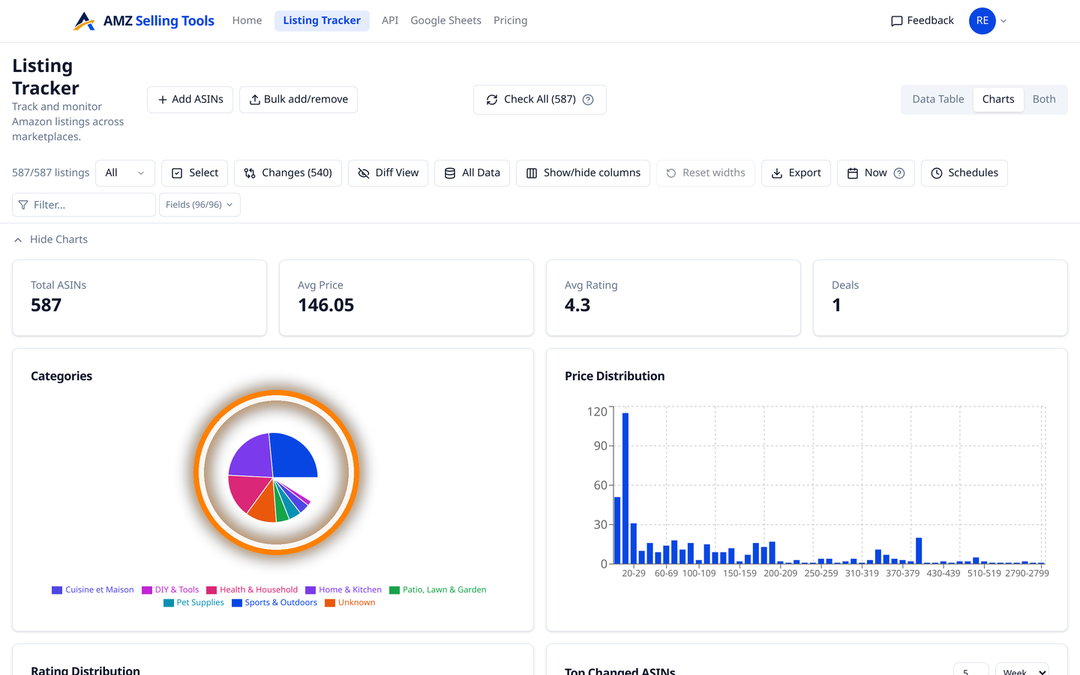
Price, stock, delivery and 90+ fields — every listing, one grid.
The rest of what’s under the hood — no spreadsheets, no code required.
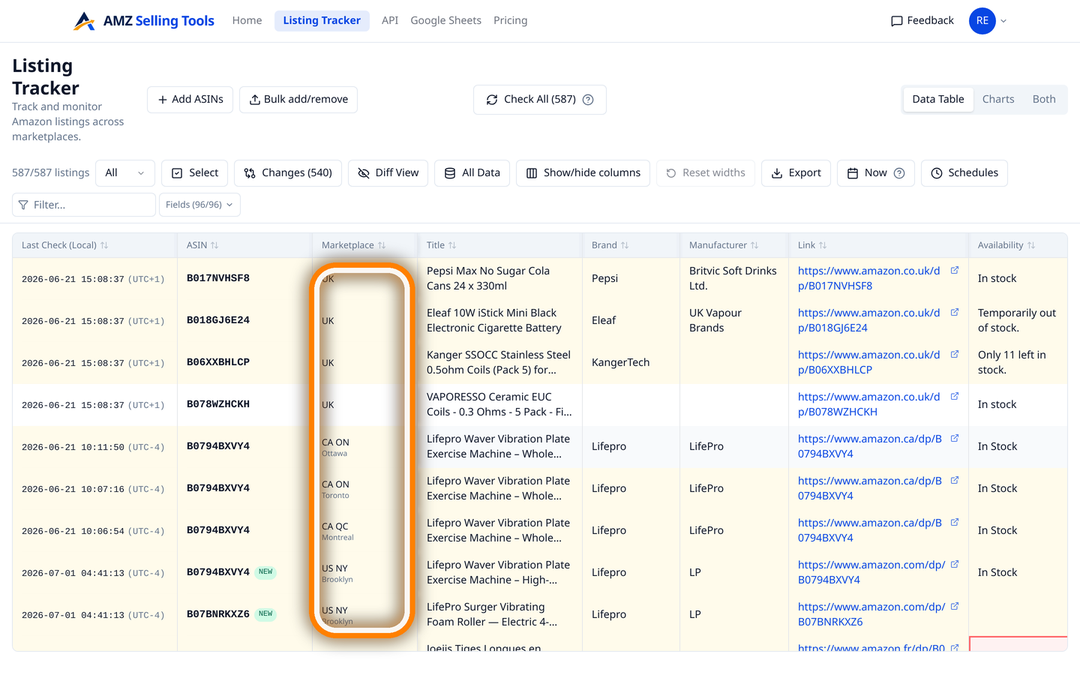
Track listings across the US, UK, Germany, France, Italy, Spain, Poland, Sweden, the Netherlands, Belgium, Canada and Australia — and from real shopper locations within them, like New York, LA, Toronto and Montreal. All in one dashboard.
Set it once — every listing you add gets an automatic daily check, and you just read what changed.
Every check is saved, so you can see how price, best-seller rank, reviews and stock moved over days and weeks — as charts or a table.
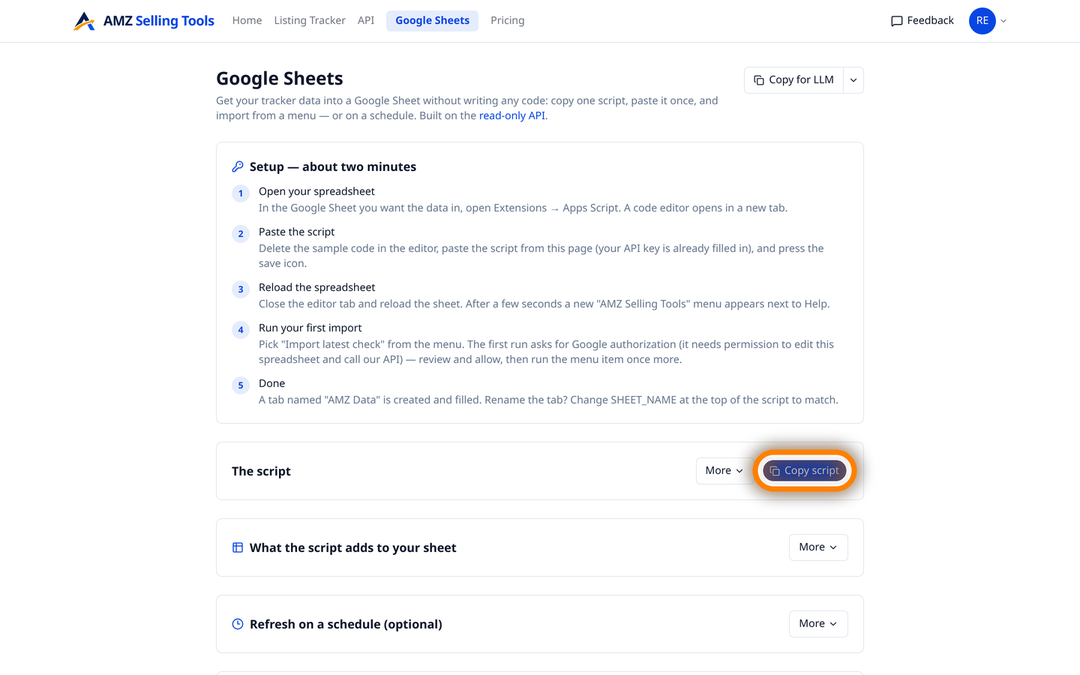
Download to CSV (opens straight in Excel) in one click — or connect Google Sheets once to pull updates in automatically.
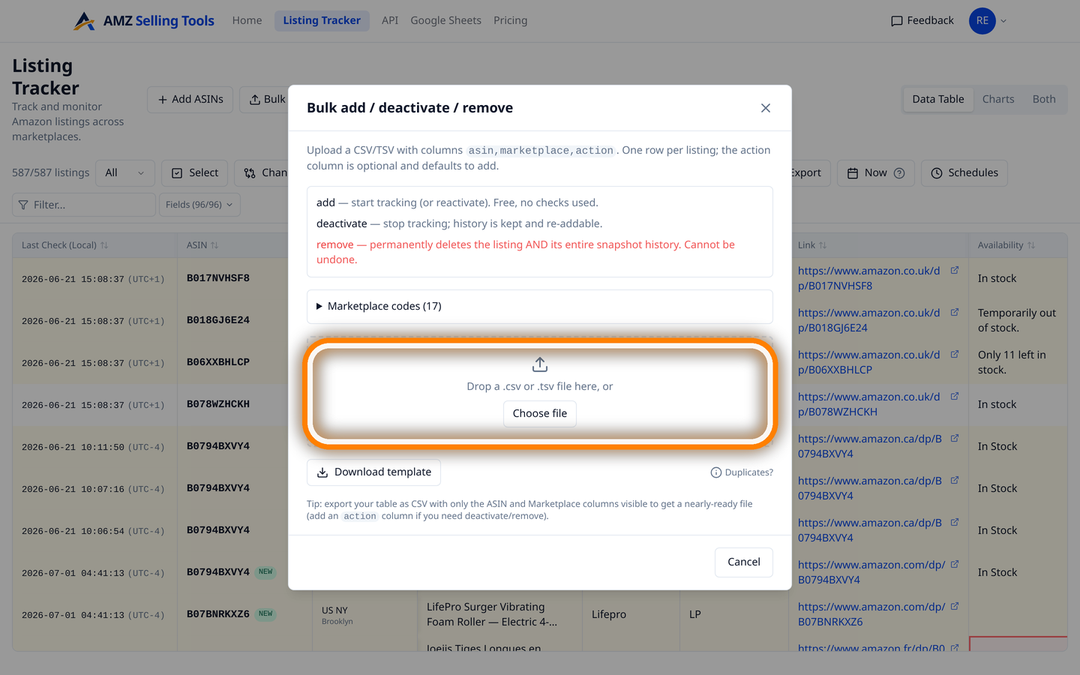
Paste a list or upload a file to start tracking a whole catalogue in seconds.
Everything you track is tied to your account and kept private — export or delete it whenever you want.
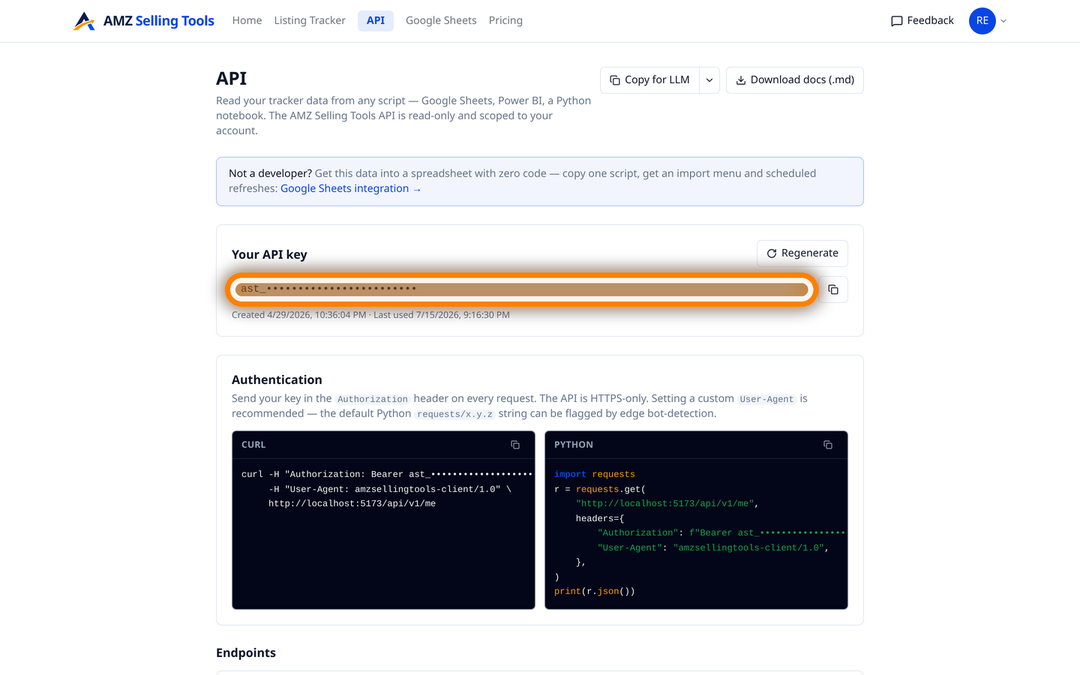
A personal API key pulls your data into Google Sheets, a notebook or any dashboard. Optional — most people never need it.
One page per thing sellers watch — what we track, how it works, and what it costs.
Record Amazon Best Sellers Rank every day for any ASIN: main and sub-category rank, 12 marketplaces, alerts on rank moves, CSV, Sheets and API export.
See who wins the Amazon Buy Box on every daily check: winner, FBA or FBM, price and the other sellers, with an email when the winner changes.
Track every change to an Amazon listing: title, bullets, images, A+ content, price, Buy Box, sellers, stock and delivery, checked daily with alerts.
Amazon shows the bought in past month badge for today only. Record it daily for any ASIN, with change history, alerts, CSV, Sheets and API export.
Track any competitor ASIN daily: price, stock, Buy Box winner, other sellers, delivery promise and rank, from 22 shopper locations. No seller account.
Pull daily Amazon price, rank, Buy Box and stock data into Google Sheets with one copied Apps Script. No add-on, and included on every plan.
Track where your ASINs rank on Amazon search for any keyword: a daily organic rank, page and position, ads counted separately, in 12 marketplaces.
Track Amazon reviews by ASIN: only the reviews new since your last check, daily or weekly, star filters, CSV and Sheets export, API, in 12 marketplaces.
From a list of products to a daily check on every one — in about a minute.
Enter your ASINs and choose the marketplaces to track them in — paste a list or upload a file, as many as you like.
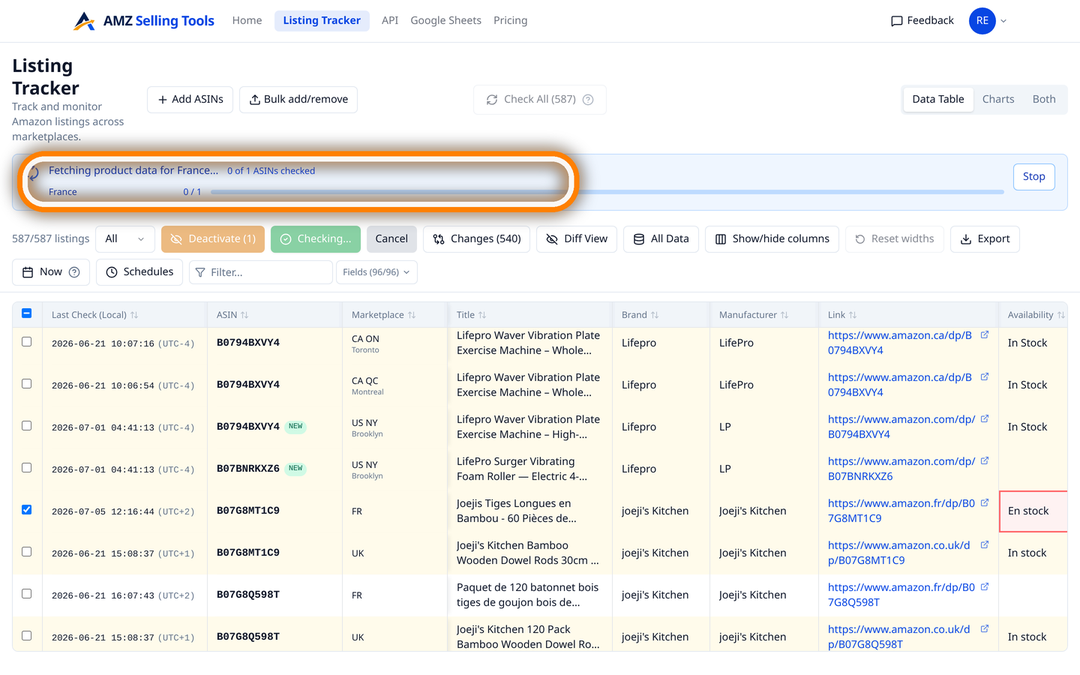
Every listing is checked on the real Amazon page, exactly as a shopper sees it, across the marketplaces you choose.
Price, Buy Box, stock, images and more — with the full history and the exact day anything moved.
One price per check, whether it tracks an ASIN, scans a keyword line or brings in new reviews — no volume games, no add-ons. Every new account starts with a free 30-day trial (10 products, checked daily, no card), and one-time credit packs never expire.
A fraction of Keepa (€29/mo) or Helium 10 (from $99/mo). See how we compare: vs Keepa · vs Helium 10
Everything you usually want to know before you start tracking.
It checks your Amazon listings every day on the real product page — the same one a shopper sees — and shows you what changed: price, Buy Box, stock, delivery, images, reviews and 90+ other details, across the US, UK, Germany, France, Italy, Spain, Poland, Sweden, the Netherlands, Belgium, Canada and Australia. It can also record where your ASINs rank on Amazon search for the keywords you choose, once a day, and fetch their new reviews on a schedule you choose.
No. Enter your products’ ASINs — the 10-character code Amazon gives every product — choose the marketplaces you want, and you’re tracking. No spreadsheets, no code, no setup.
We read the public product page — the same one any shopper sees — and only for the listings you add yourself. We never ask for your Amazon login, and we never touch private account or seller data.
Amazon’s data feed (its “API”) often lags, rounds numbers off, or leaves out what’s really on the listing — the Buy Box, the delivery promise, the live stock. We read the actual page instead, so the numbers match what you’d see opening the listing yourself.
Yes. Point it at any listing — yours or a competitor’s — and you get the full picture: title, bullets, images, A+ content, price and Buy Box, checked daily, with the exact day anything changed.
When a listing runs low on stock or its delivery slows down it stops converting — but your ads keep spending. We track the same “Order within” delivery countdown and stock cues your buyers see, so you can pause before you waste budget.
Just $0.00449 per check — a flat $0.1347 per ASIN or keyword line per month, whatever you track, with subscriptions from $5.11 a month and no volume tiers or add-ons. Review runs use one check per 5 reviews they bring in, at least one per run. Every new account gets a free 30-day trial: track up to 10 products, checked every day, no card required. One-time credit packs at the same rate never expire.
Two things: accuracy — we read the real page a shopper sees, not a data feed — and price, at a fraction of the cost (Keepa is €29/month after its 2026 price rise, Helium 10 from $99–$129/month). It’s a focused, accurate tracker rather than a 30-tool suite.
An ASIN is the 10-character code Amazon gives every product. You’ll find it in the product’s URL or its details section — for example, in amazon.com/dp/B08N5WRWNW the ASIN is B08N5WRWNW. That’s what you enter to start tracking.
Yes — download to CSV (it opens straight in Excel) in one click, or connect Google Sheets once to pull updates in automatically. If you’re technical, there’s also an API scoped to your own data, which reads your tracker data and manages your keyword lines and review lines.
Every listing you add gets an automatic daily check — it runs overnight in the marketplace’s local time, for as long as you have checks left in your plan. You can also run an on-demand check any time you want the very latest.
Yes. We check from real shopper locations within each marketplace — like New York, LA, Toronto or Montreal — so you can see regional price differences and where something’s out of stock in one region but not another.