
1. Add the listings
Paste a list of ASINs or upload a file — your own products and the competitors you want a demand read on. Adding costs nothing; only checks do.
Amazon shows the badge as it stands today and keeps no history of it. Every daily check records the figure beside the price, rank, Buy Box and stock read from the same page.
Under the review stars on an Amazon listing there is often a line like “2K+ bought in past month”. It is the closest thing Amazon gives a shopper, or a competitor, to a unit count. It is also gone the moment the page reloads with a different number: Amazon shows today’s value and keeps no history of it anywhere. AMZ Selling Tools reads the listing once a day and writes the figure down, so the badge becomes a series instead of a glance. Our guide to what “bought in past month” means covers the badge itself — the rounding, the thresholds and the limits; this page is about keeping a record of it.
Every other demand signal on a listing is relative. Rank compares a product with its category and review counts pile up over years, so neither says what this month looks like against last. The badge is the one figure scoped to a window, which is exactly what makes it perishable:
One column, Bought (Month), sits in the Product Info group of the grid beside the title, brand and availability. On every check the tracker stores the number without the plus sign — “100+ bought in past month” is kept as 100, and “2K+ bought in past month” as 2K, in the shorthand the page itself used.
The badge is one of the 80 fields compared from one check to the next, so a move appears in the change history for that cell and in Diff View, with the date of the check that recorded it.
Paste a list of ASINs or upload a file — your own products and the competitors you want a demand read on. Adding costs nothing; only checks do.
Each tracked listing is read once a day, overnight in the marketplace's local time, at a start time you set. An on-demand check gives you the badge as it stands right now.
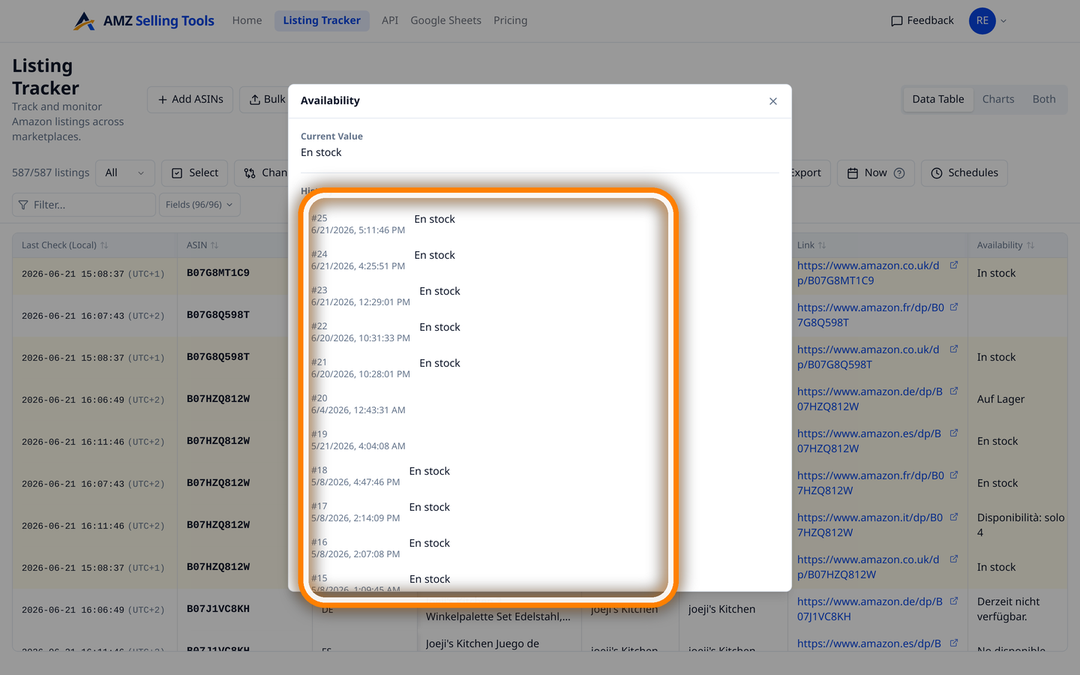
Click the Bought (Month) cell for a dated list of every value ever recorded on that row. Diff View shows the step from the old value to the new one.
An alert on the field emails you after the check that recorded the change, or in one daily summary.
The field is a text column, so it takes the four text conditions: changed, becomes, contains and stops containing. In practice:
Two honest limits, worth knowing before you build a rule around them. There are no numeric thresholds on this field — no “drops below 500” — because the stored value is text and “1K” and “900” cannot be compared as numbers. And a rule compares one value with the previous one, so a badge appearing for the very first time, or vanishing altogether, is written to the history rather than emailed. The disappearance is recorded; it just does not ring a bell.
A tracked row is one ASIN in one location, so a competitor’s listing costs exactly what one of your own does and is read in exactly the same way. Put ten rivals and your own product in the same view and the badge becomes a monthly demand column across the set — who is stepping up, who is sliding, and roughly when it started.
The figure is coarse by design: it is rounded down into wide steps, so a listing can sell substantially more without the number moving at all. Read it as a floor and a direction rather than a sales estimate, and read it next to the columns that move daily. A rival whose badge steps up in the week their Best Sellers Rank improves and their price drops is telling you a coherent story. Amazon has never published how the figure is calculated or what window “past month” covers, so treat it as a signal, not an audit.
The column is included in every route out of the product, on every plan and with no add-on:
bought_in_past_month in the product group, returned as a string such as "1K", or null when the badge was absent on that check.Twelve Amazon marketplaces — the United States, United Kingdom, Germany, France, Italy, Spain, Poland, Sweden, the Netherlands, Belgium, Canada and Australia — from 22 shopper locations. The United States is checked from Brooklyn, Chicago, Dallas, Los Angeles, Denver and Miami Beach; Canada from Toronto, Ottawa, Montreal, Calgary, Edmonton and Vancouver; each of the other ten countries from one location in-country.
Whether the badge appears at all is Amazon’s decision, not ours. We have seen it in local wording on the US, UK, Canadian, Australian, German, French, Belgian, Italian, Spanish, Swedish and Dutch storefronts, and not once in our own captures of amazon.pl. The steps also differ between stores — the German pages we have seen write “7000+” where the US writes “7K+” — so the figure is best compared against the same listing’s own past rather than across borders. Whatever the page shows, the column stores it.
Tracking costs a flat $0.1347 per ASIN per month ($0.00449 per check) — 30 daily checks of all 92 columns, with alerts, CSV, Google Sheets and the API included — so fifty listings come to $6.73 a month, whether they are yours or your competitors’. Every new account starts with a free 30-day trial of up to 10 products and 10 checks a day, with no card required — long enough to see the badge move on the listings you care about.
It is Amazon’s social-proof line, showing roughly how many units of a listing sold in the past month, rounded down to a step and written with a plus. Amazon has never published how the figure is calculated, so read it as a floor and a direction rather than a sales report.
No. Amazon keeps no history of the badge, so the record starts on the day you add the ASIN and grows by one reading a day from there.
In a column called Bought (Month), as text with the plus and the trailing wording removed — 100+ bought in past month is kept as 100, and 2K+ as 2K. When the badge is absent the cell is left empty rather than set to zero.
Yes. The field takes the text conditions changed, becomes, contains and stops containing, so a rule such as “Bought (Month) changed” emails you after the check that recorded the step. There are no numeric thresholds on it, and a badge appearing for the first time or vanishing is recorded rather than emailed.
We have seen it in local wording on the US, UK, Canadian, Australian, German, French, Belgian, Italian, Spanish, Swedish and Dutch storefronts, and never in our own captures of amazon.pl. Where a page shows no badge, the column stays empty.
A flat $0.1347 per ASIN per month ($0.00449 per check), which covers 30 daily checks of all 92 columns, with alerts, CSV, Google Sheets and API export included. New accounts get a free 30-day trial of up to 10 products and 10 checks a day, with no card.
One price per check, whether it tracks an ASIN, scans a keyword line or brings in new reviews — no volume games, no add-ons. Every new account starts with a free 30-day trial (10 products, checked daily, no card), and one-time credit packs never expire.
A fraction of Keepa (€29/mo) or Helium 10 (from $99/mo). See how we compare: vs Keepa · vs Helium 10